ProfsArtsPla Lycom
  • Auto-save postsAuto-save
  • 39.1 0 3
  • Edit
  • Save
  • Cancel
  • Language
    • English
    • Français
    • Deutsch
    • Italiano
    • Español
    • Português
    • Polski
    • Русский
    • Svenska
    • Türkçe
    • Українська
    • Show as columns
    • Mobile version
    • Login or Sign Up
  • Content
  • Template
  • Style
  • Post Style
  • Text
  • Video Tutorials
  • Help
  • Link to a Web Page, Youtube Video, Image, Document, etc.
  • Upload
  • Links
  • Images
  • Documents
  • Audio and Video
  • My Uploads
  • Text
  • Applications
  • Embed
  • Layout
    • Use Template
    • Columns
    • Lanes
  • Post
    • Links
    • Images
    • Documents
    • Audio and Video
    • My Uploads
    • Text
    • Applications
    • Embed
  • Add to
    • Add new posts at
    • Top
    • Bottom
  • Cancel selection
  • Move
    • Move to the top
    • Move to the bottom
  • Position
    • Unlock position
    • Lock position
  • Comments
    • Enable comments
    • Disable comments
  • Send to tab
  • Visibility
    • Visible
    • Hidden
    • Schedule
  • Clone
  • Style
    • Custom style
    • Quick style
    • Copy style from another post
    • Discard custom style
  • Delete
    • Create a copy
    • Delete

Embed HTML

Many sites and online services, like Google Maps, suggest HTML code (usually iframes) to embed widgets and content on your page.
Here you can paste any HTML to create your custom post.

Please note:
  • In case pasted code is not just iframe tag it will be wrapped into HTTPS iframe.
  • Only HTTPS sources for iframes, styles and javascript links are supported.
  • Non-HTTPS sources will be blocked by the browser and won't behave properly.
HTML
PREVIEW
SIZE
100%
Cancel

Change Post Image

Reset
Cancel
Base template
Left side navigation
Change template
  • Default template

    Header and Content

  • With content sidebar

    Header, Content and Sidebar

  • With content sidebar and featured area

    Header, Middle section, Content and Sidebar

  • With middle section in page

    Header, Middle section and Content

  • Left side navigation

    Left Vertical Navigation

  • Right side navigation

    Right Vertical Navigation

  • Header + Middle + Centered column

    Centered Content Feed with Middle section

  • Header + Centered column

    Centered Content Feed

  • Header + Centered free

    Centered Content

  • Centered board

    Centered page layout

  • Centered board with middle section

    Centered page layout with Middle section

By default, empty spaces are automatically filled in to make the board look like a fancy web page. Mosaic alignment makes your netboards fancier and more compact. The Ordered alignment preserves the order of the posts, even if this results in empty spaces. Notes alignment functions similarly to Ordered alignment but does not equalize the height of posts. Read about other options.
Base Theme
Theme
  • Simple
  • Blue Neue
  • Papers
  • Deep
  • Brand
  • Dark Red
  • This is a pen, this is a skin
  • GreenLight
  • Colors
  • Blue
  • Desk
  • Light
  • Simple Orange
  • Neat
  • Calm
  • Orange Flowers
  • Dark Orange
  • Soft
  • Wood
  • Yellow
  • Blue'n'Yellow
  • Dark Blue
  • Page
  • Another Red Skin
  • Simple Grey
  • Red Skin
  • Coffee
  • Eco
  • Darken
  • Blueprint
  • Cork Board
  • Purple
  • Simple Red
  • Painted Metal
  • Beige
  • Emerald
  • Simple Yellow
  • Grey Scale
  • Flat Yellow
  • Dark Green
  • Official
  • Simple White
  • Elegant Green
  • Simple Blue
Quick style

All these options can be changed anytime and as many times as you wish
Please note that comments will not be copied.

    Template and Style
    Netboard URL
    /
    Access
    Reuse
    Options
    Co-authoring
    Quizzes
    Who can take the quizzes on this netboard
    Cancel
    SOMMAIRE
    • Accueil
    • QUIZ
    • Rendus écrits
    • Croquis / Dessins
    • Planches
    • Recherches Expérimentations
    • Peintures
    • Sculptures
    • Photographies
    • Réalisations numériques
    • Installations
    • Performances
    • Scénographies
    • Techniques mixtes
    • Projets aboutis
    • Quelques oeuvres choisies (Musée personnel)
    • Mes visites, expos, spectacles...
    • Fiches d'évaluation
    • Entrainements oraux/vidéos

    How to edit netboard

    • Quick Post buttonCreates a netboard post from the URL provided. It can be a link to any online site, document, image, video, RSS feed, Google doc, and much more.
    • Links buttonAllows you to create multiple posts using a list of links.
    • Upload buttonsEnable you to upload images, documents, or media files.
    • My Uploads buttonAllows you to create posts using previously uploaded files.
    • Add TextClick and drag the "Text" option to the netboard to add text.
    • Applications buttonAllows you to include content from other platforms.
    • Embed buttonUse this button to embed HTML widgets, such as iframes, from other websites onto your page.
    • ResizeHold and drag the right edge of the post to resize.
    • MoveJust drag posts to re-order them.
    • ResizePinch the post to resize it.
    • MoveHold the post for a second to make it movable and then drag it to change the order.
    • Edit post textEditable text is indicated by icon.
    • Lock positionPosts with locked positions won't change order if another post is moved or added.
      This feature allows you to keep certain posts always at the top of the netboard.
    • TagsUse tags to quickly filter posts on the netboard (e.g., #level1 or #level2). Start any word with "#" to create a tag.

    Video Tutorials

    1. Create a page

    2. Edit a page

    3. Customize a page

    4. Quizzes

    Close
    Network
    My requests
    • You don't have any notifications
    • You have no active requests

    Multiple Links

    Create multiple posts using a list of links.

    Enter links to Web pages, YouTube Videos, Images, Documents, etc.
    Cancel

    Quick Post

    Create a post from a link.

    Link to a Web Page, Youtube Video, Image, Document, etc.
    Cancel

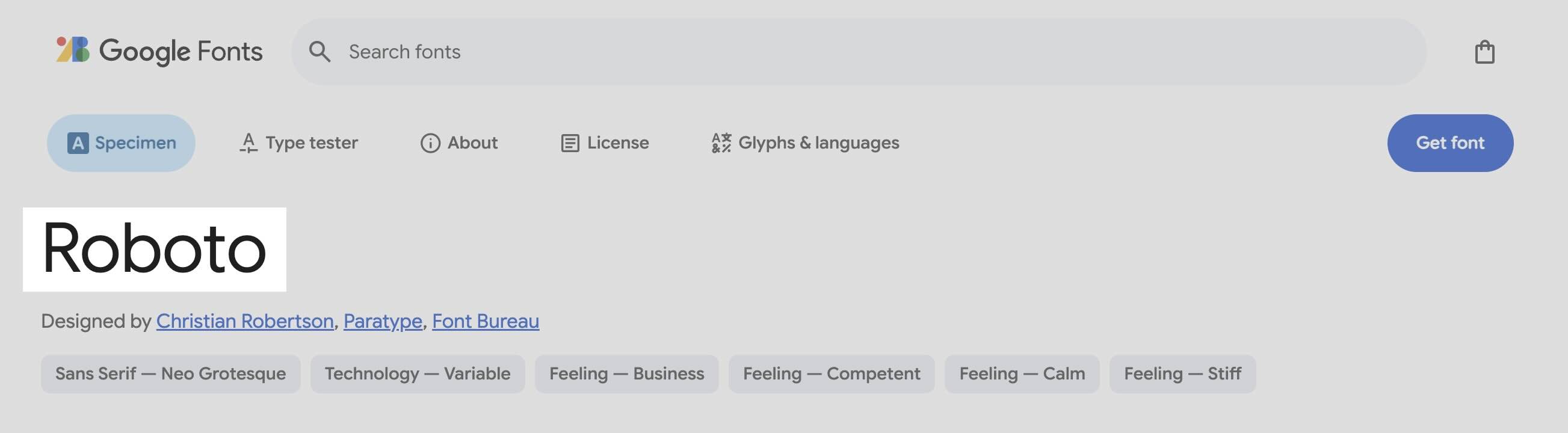
    Add Google fonts

    A web with web fonts is more beautiful, readable, accessible and open. Google provides hundreds of free, open-source fonts optimized for the web. You can use any of them on your netboard.me pages. More info

    To add the font:

    • Go to the Google Fonts page
    • Select the font you like, copy its name to the field below and click Add
    • Please note that Fonts from external foundries are not supported
    How to pick Google Font name

    Export netboard to PDF

    • Export
    • History
    Please select pages section to render
    Number of posts to process:
    Please select tabs to export

    Your PDF file is ready

    Download

    You can always find this link on the History tab in the "Export to PDF" window

    There is no export history for this netboard
    Date Download Title Content Links All Pages
    Close Export

    Send posts to another tab

    Tab
    Section
    Position
    Move or Copy
    Cancel

    Please introduce yourself to proceed

    Cancel

    Login or Sign Up

    Login

    Sign Up

    Forgot your password?
    Username is taken
    Username is free

    Forgot password?

    Enter your email and we'll send you reset instructions

    Back to login

    Integrate Applications

    • Link
    • Code
    • Upload
    SIZE
    100%
    You can post such links using the "Create a post from a link" input on the Content tab.
    Upload
    You can upload files using the "Upload" button on the Posts tab or simply by dragging and dropping them onto the netboard when it's in edit mode.
    Do you know of an app or a Website that should be featured?
    Send your suggestions to support@netboard.me!
    Close

    My Uploads

    • Images
    • Documents
    • Video
    • Audio
    Cancel

    Send a message to ProfsArtsPla Lycom

    • Compose a message
    • Previously sent to ProfsArtsPla Lycom
    Close

    Score:

    Embed HTML

    Many sites and online services, like Google Maps, suggest HTML code (usually iframes) to embed widgets and content on your page.
    You can add such HTML widgets in your quizzes.

    Please note:
    • In case pasted code is not just iframe tag it will be wrapped into HTTPS iframe.
    • Only HTTPS sources for iframes, styles and javascript links are supported.
    • Non-HTTPS sources will be blocked by the browser and won't behave properly.
    HTML
    PREVIEW
    SIZE
    100%
    Cancel